Select View
If you have access to both residential (home) devices and commercial sites, the app will show a view selector after you log in. This lets you choose which dashboard to open.
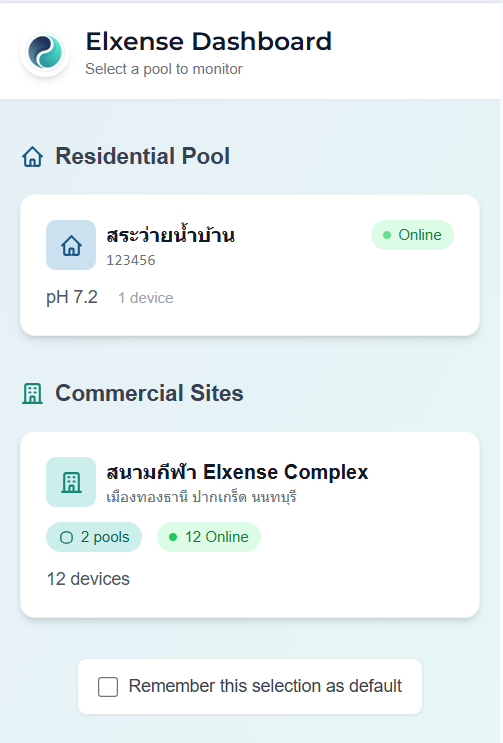
View Options
- Residential Dashboard — Opens your home pool device dashboard
- Commercial Site(s) — Each commercial site you have access to is shown as a separate card
Each commercial site card shows:
- Site name and address
- Pool count and device count
- Live pH readings per pool (color-coded: green = normal, red = out of range)
- Online status per pool (green = online, red = offline)
Remember My Choice
At the bottom of the page, you can check "Remember my choice" so the app will automatically take you to your preferred view on future logins.
Reorder Sites
If you have access to multiple commercial sites:
- Tap the Reorder button at the top
- Use the up/down arrows to rearrange sites
- Tap Save Order to confirm
If you only have commercial sites (no residential devices), the app will skip this page and take you directly to your site dashboard.